Playback for live shows · macOS
You press GO.
SonaCue does the rest.
A playback engine built in the booth, for the booth. Seamless loops that wait for the artist, cue notes that appear right when you need them, MIDI and OSC triggers fired to the frame, timecode for the lighting desk, a countdown on the stage display — and a pre-flight check that tells you what would have failed silently, before the house is in.
Edit mode is free forever. Show mode has a 14-day free trial, then a one-time purchase per major version.
Show mode
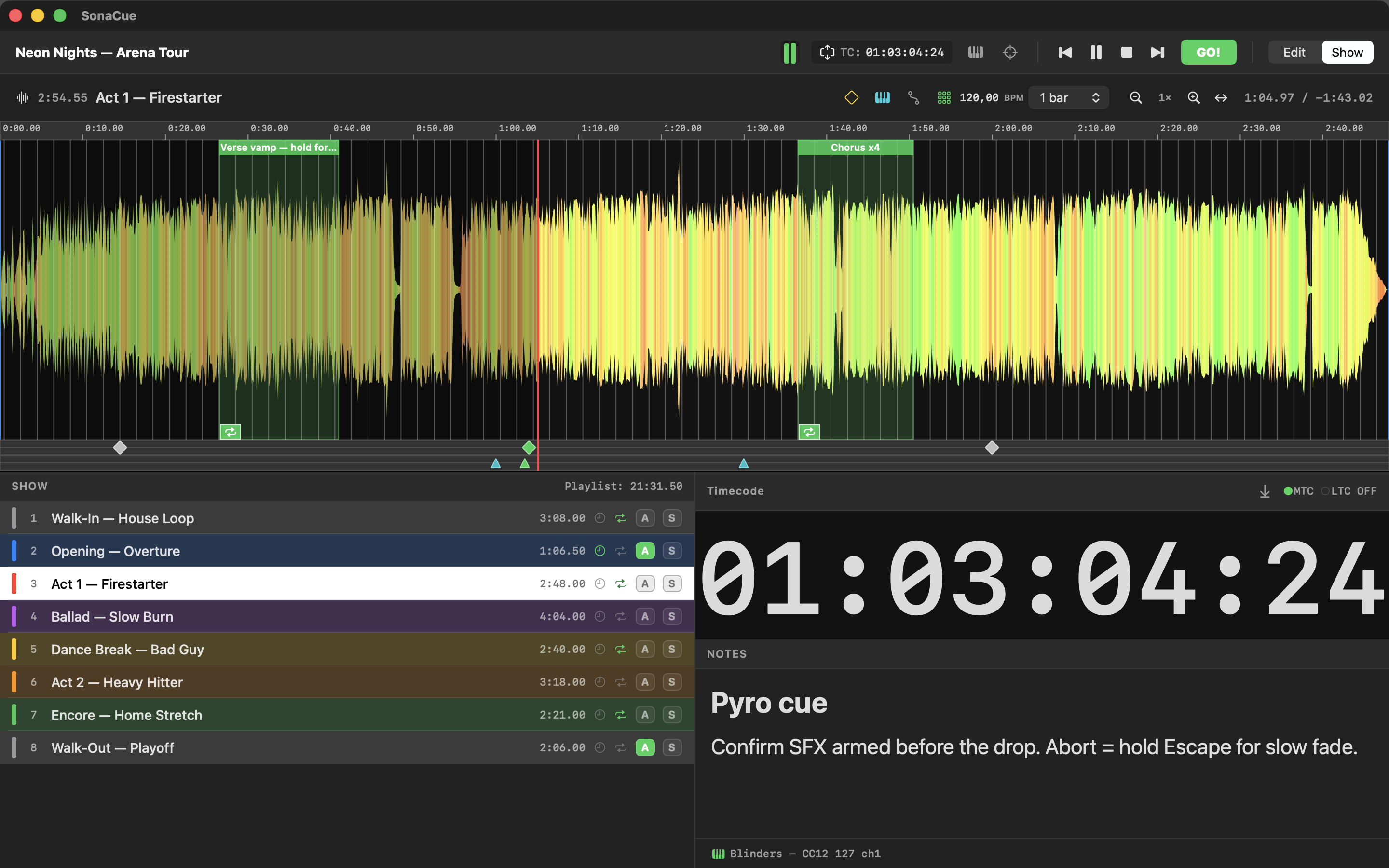
When the show starts, the interface gets out of the way.
Flip to Show mode and everything editable locks — nothing can be dragged, renamed or deleted by accident. What's left is your set list, one big GO button, and the note you wrote for exactly this moment, plus an oversized timecode readout with its own MTC and LTC status. Below the note, SonaCue confirms the last MIDI and OSC triggers it fired, so you know the desk got its cue. Space fires the next one, or leaves a loop. Escape fades out — same duration every time, no surprises.
Stage Display
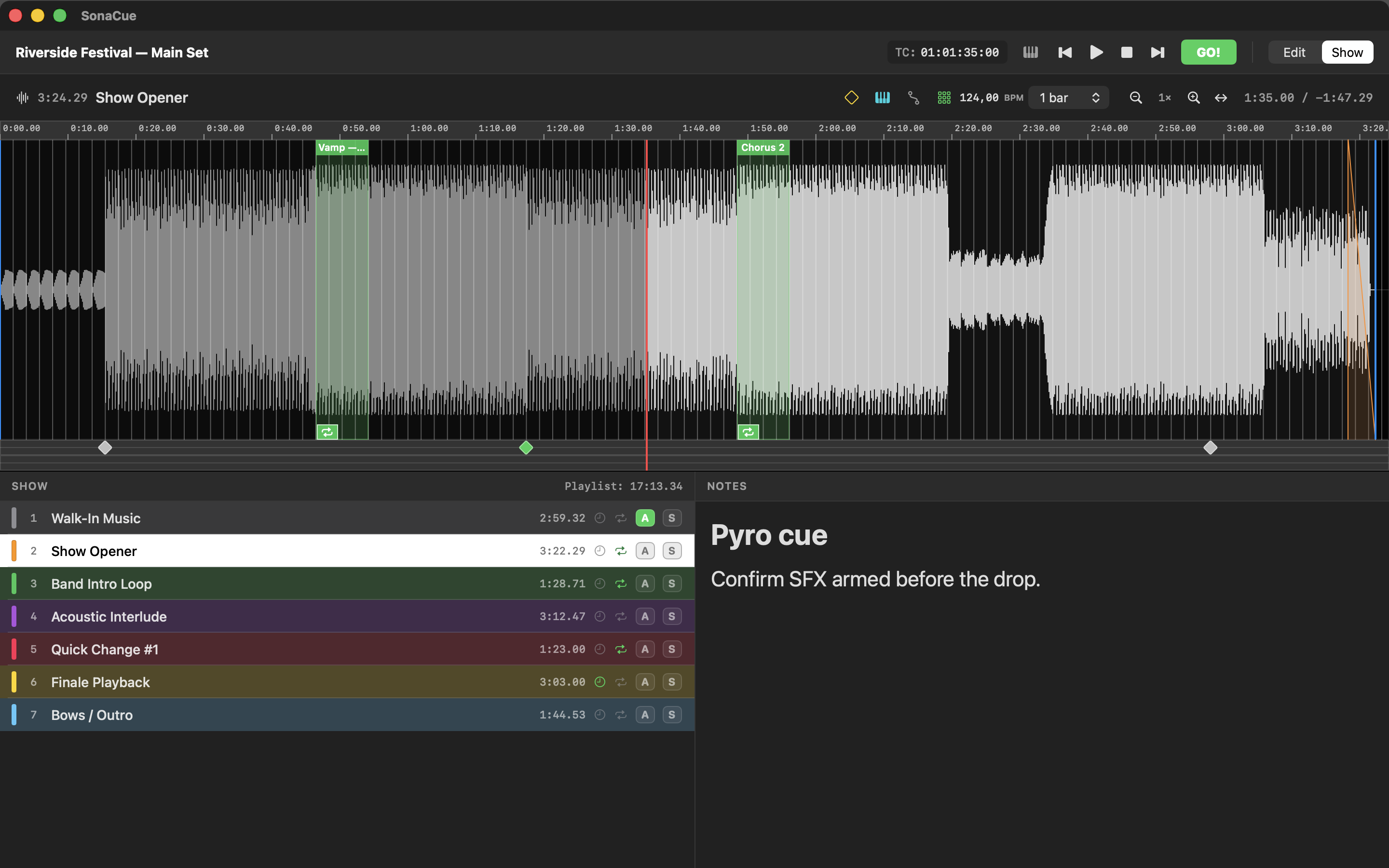
A countdown the performer can read from the back of the room.
Send a second screen the things that matter on stage: how long is left in this cue — yellow under thirty seconds, red under ten — the note that is live right now, what is coming next, and the timecode. Every readout is sized as a share of the window rather than in points, so it fills whatever screen you put it on, and switching a panel off makes the rest grow into the space. Arrange it by dragging rows, pair two readouts side by side, and watch it change in a live preview on your own screen while the display runs on the other one.
Seamless loops
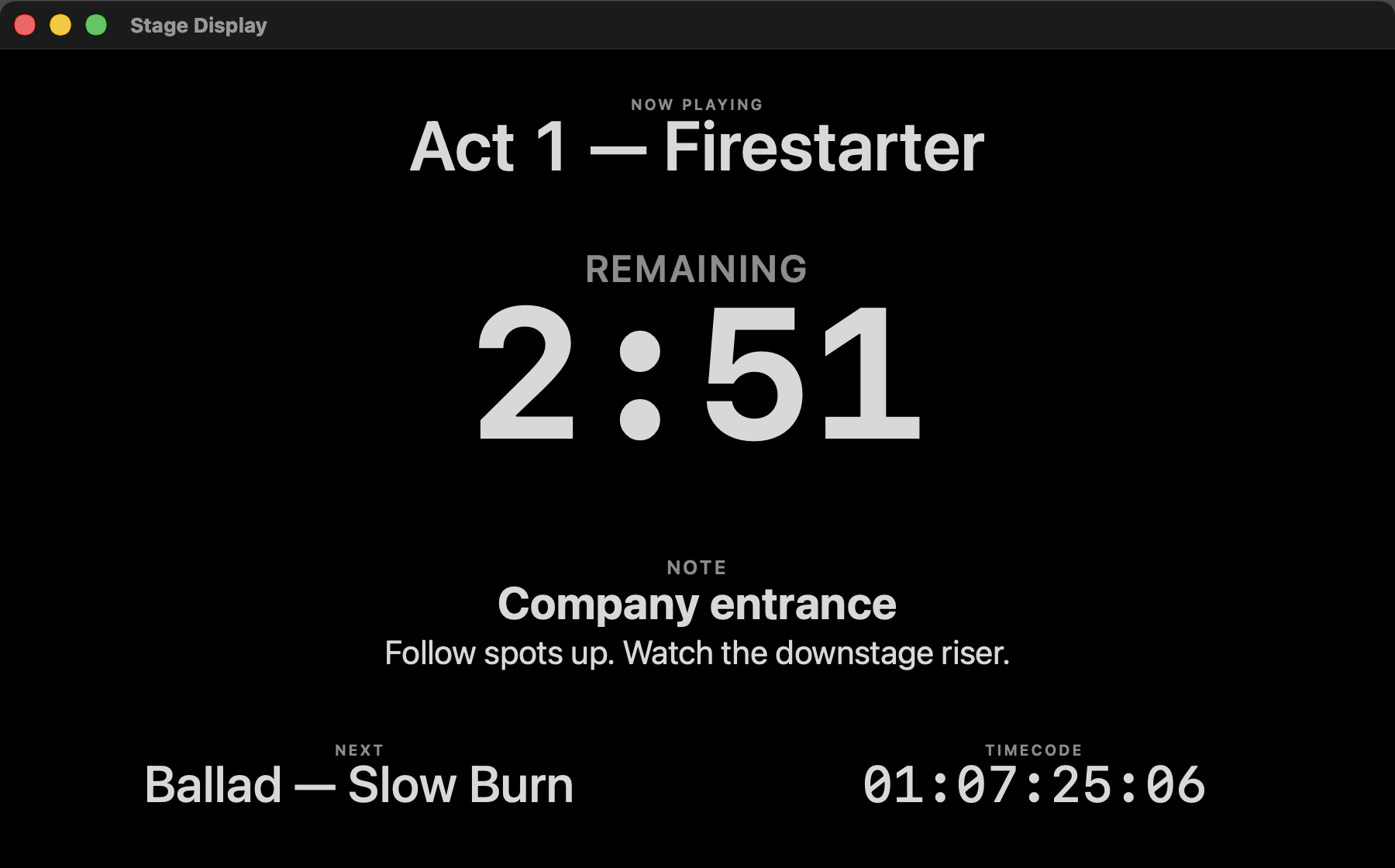
Loops that hold until the artist is ready.
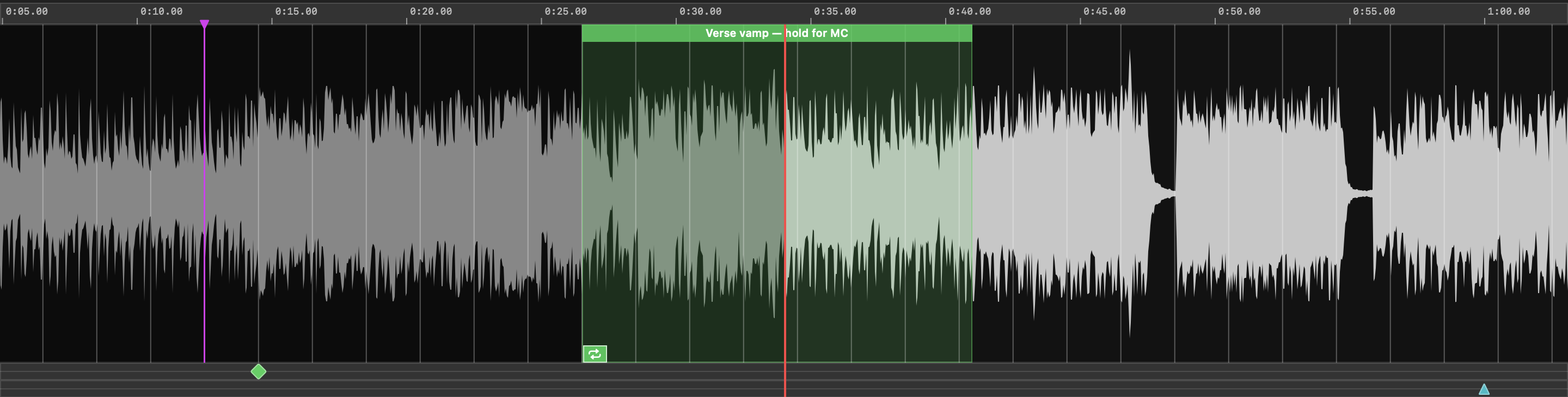
Mark a section and it repeats without a click or a gap — the audio is scheduled sample-accurately, with a short crossfade hiding the seam. Set a number of passes, or hold open-ended until the MD gives the nod: one key queues the exit and playback runs on past the loop as if nothing happened. A loop can duck its own level while someone talks over it, and with the beat grid on, every edge lands on the bar.
Levels
Set the level once, and stop riding the fader.
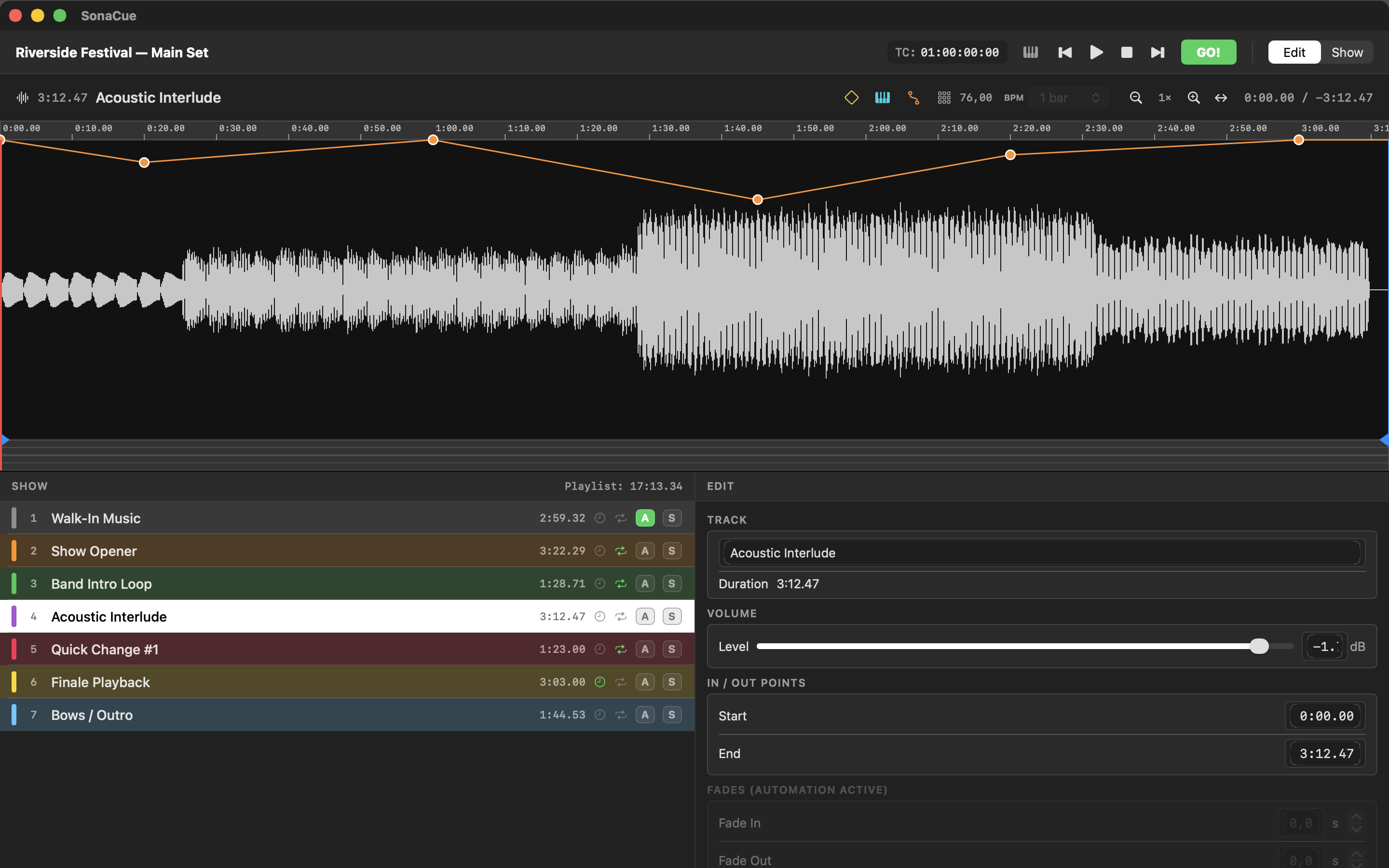
Draw a dB curve straight onto the waveform and SonaCue rides the level for you — a dip for the announcement, a slow build into the finale. Tracks go up to +15 dB, so a quiet recording joins the show without being re-exported, and a master limiter holds the output under 0 dBFS so a boosted cue can't clip. When a set list comes from ten different sources, Match Levels measures every cue's loudness in LUFS and proposes one level for the whole show — capped so no cue's true peak passes −1 dBFS, which keeps the limiter out of the signal path entirely.
MIDI & OSC triggers
Fire lighting, video and effects at the exact frame.
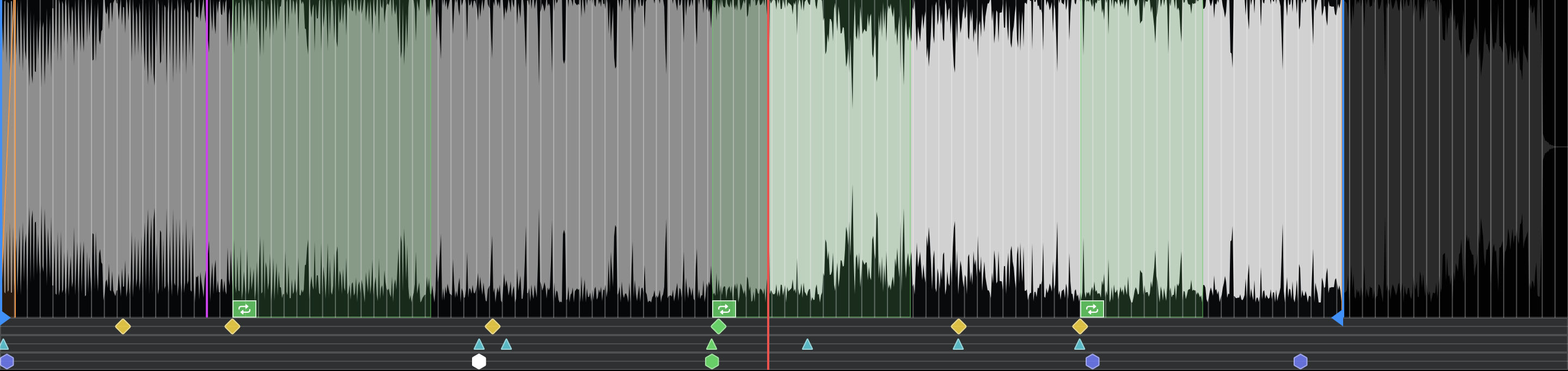
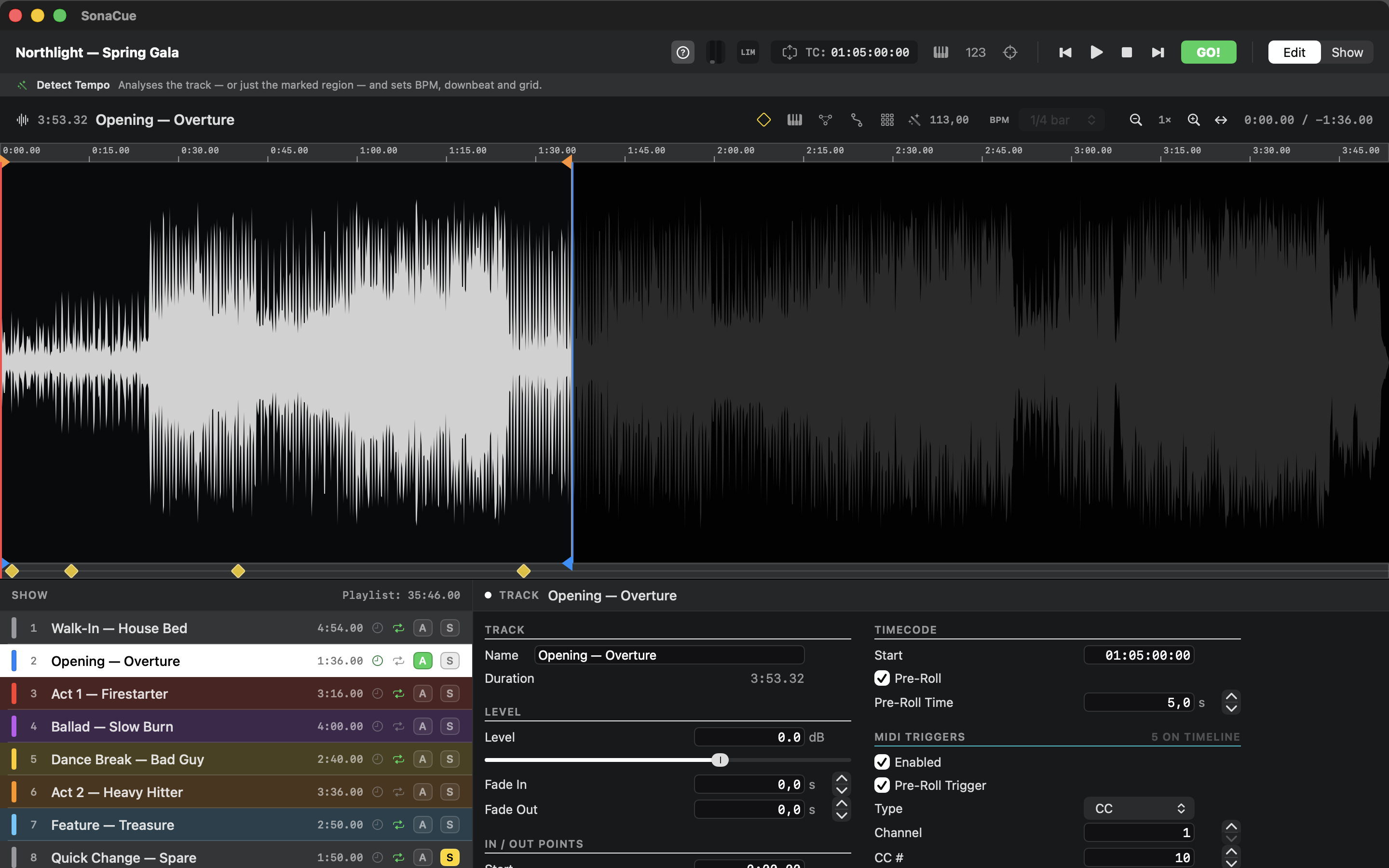
Two timelines under the waveform: MIDI triggers for Note and CC messages, OSC triggers for anything on the network — Companion, QLab, a lighting desk, a media server. Drop a marker where the hit is and SonaCue sends the message the instant the playhead reaches it. Each one carries its own channel and value, or its own address and argument; both also have a pre-roll trigger that fires the moment a cue enters timecode pre-roll, before there is any sound. MIDI goes to a virtual port every app on your Mac can subscribe to, plus any hardware outputs you pick.
Show Check
Find out what would have failed, before the house is in.
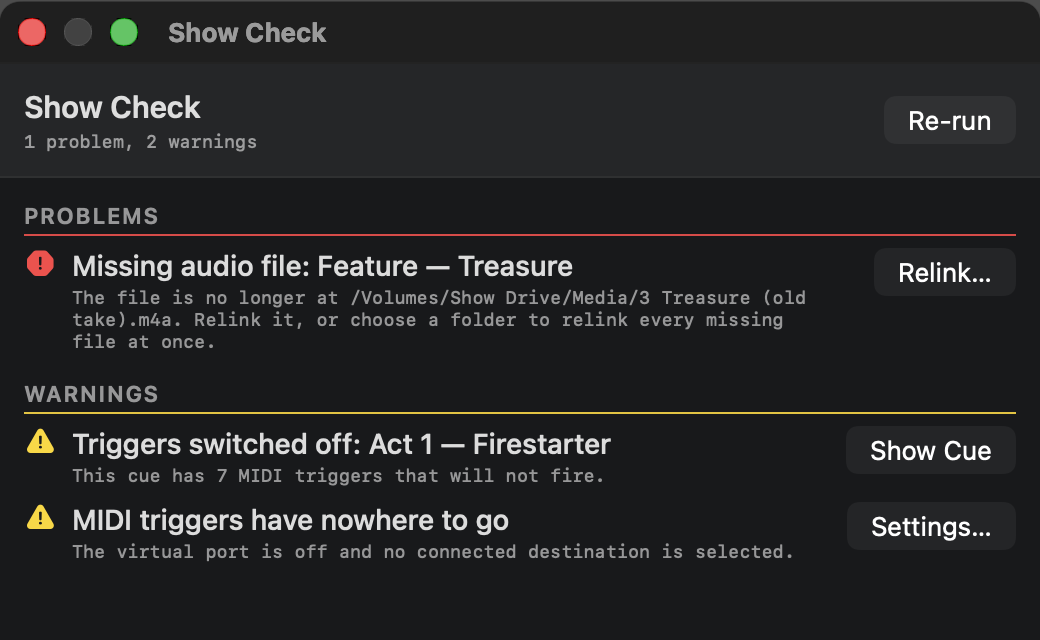
One report of everything that fails silently during a show: an audio file that moved, an output device or channel pair that is no longer there, an LTC route that collides with the music, a MIDI destination that got unplugged, an OSC socket that never opened, a trial about to run out. Every row carries its own fix — relink the file, jump to the cue, open the Settings tab that owns it. Switching to Show mode runs the same check quietly and only speaks up if something needs attention.
OSC control
Hand the GO button to a Stream Deck.
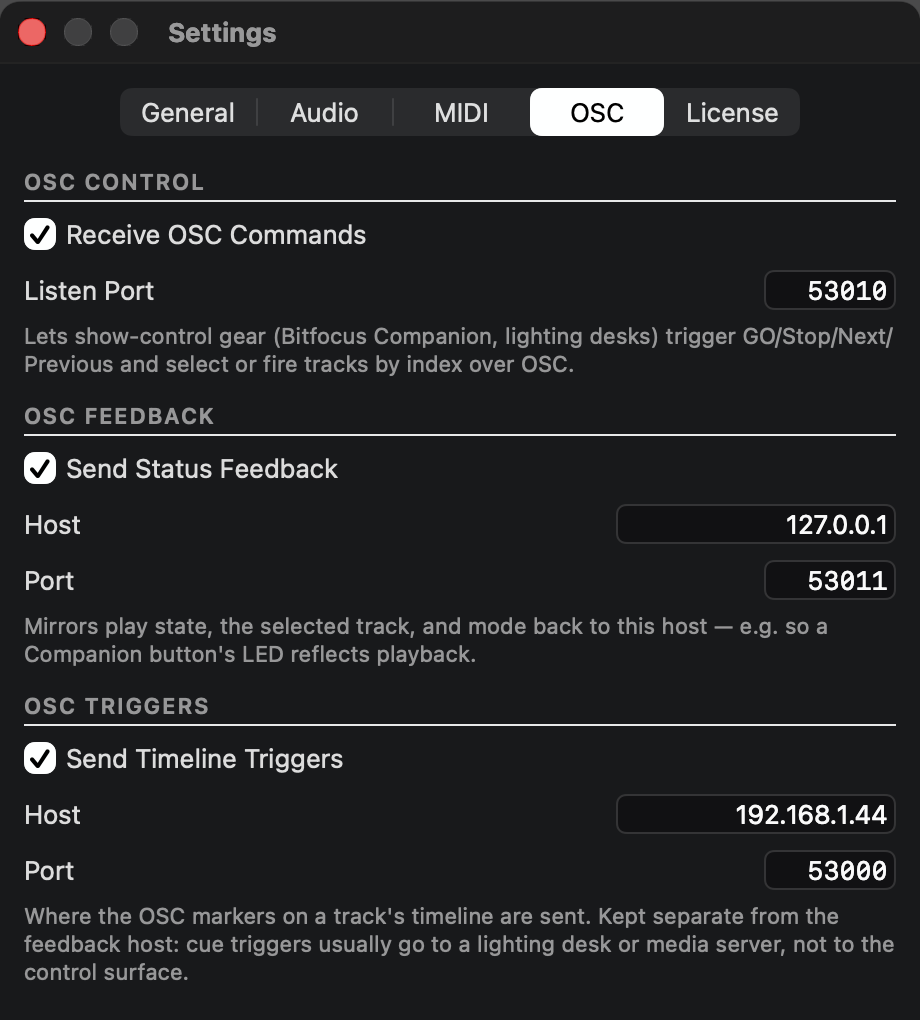
SonaCue listens for OSC over the network, so Bitfocus Companion or any OSC-capable console can fire GO, Stop, Next and Previous and jump straight to a cue by index — with status feedback mirrored back so button LEDs match what is actually playing. Pair it with the official SonaCue Companion module, a direct download, no GitHub account needed. Prefer hardware? MIDI learn maps the same actions to a controller, and the number keys 1–9 and 0 fire cues with no hardware at all.
Beat grid & tempo detection
One click detects the tempo and puts the first beat on a real downbeat. From there, loop edges, trim points, notes and triggers all snap to the bar — hold Option mid-drag when you need to land between the lines.
MIDI & SMPTE (LTC) timecode out
SonaCue is an MTC master and generates SMPTE (LTC) as an audio signal too, so a desk chases the show over whichever it can listen to — with a start timecode and pre-roll per cue, and 24 / 25 / 29.97 df / 30 fps.
Map any controller
MIDI learn: tap the button, press a key on your controller, done — transport, GO, or firing a specific cue. Cue mappings travel inside the show file, so a different show loads its own.
Precise waveform, any zoom
A sharp, glitch-free envelope from fully zoomed out to deep in, drawn at the cue's own level. Optional spectral colouring tints it by frequency — bass red, mids green, highs blue — and follow mode keeps the playhead centred.
The Helpline
A one-line bar under the header that describes whatever the mouse is over, including which keys and gestures apply. Learn the app while you build the show, then switch it off.
Nothing lost
Snapshot undo where a whole drag is one step, autosave with crash recovery, and portable project folders that carry their audio with them. If files do move, point SonaCue at the new folder and it relinks every cue at once.
Try it on your next show file.
Drop your tracks in, set your cues, run Show Check, and play the set once. You'll know within a rehearsal if it fits the way you work.
v1.4.6 · macOS 14+ · Apple Silicon & Intel · works with any CoreMIDI device